Unit of Measure & Archived Items in Products
Managing products effectively means keeping your catalog both accurate and easy to use. Two key tools that help with this are Units of Measure, which define how products are counted and tracked, and Archived Items, which let you remove outdated products from active use without losing their history.
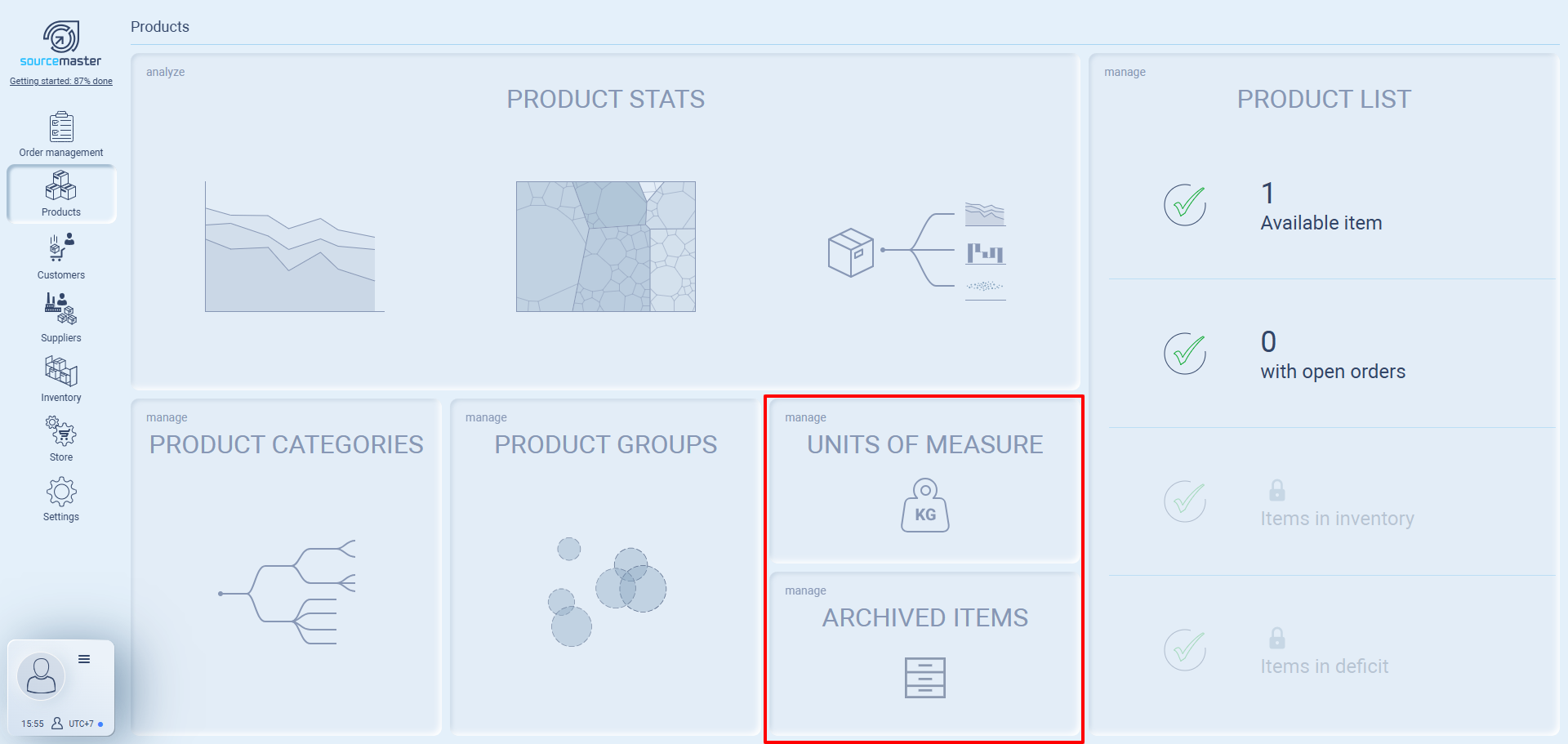
Unit of measure
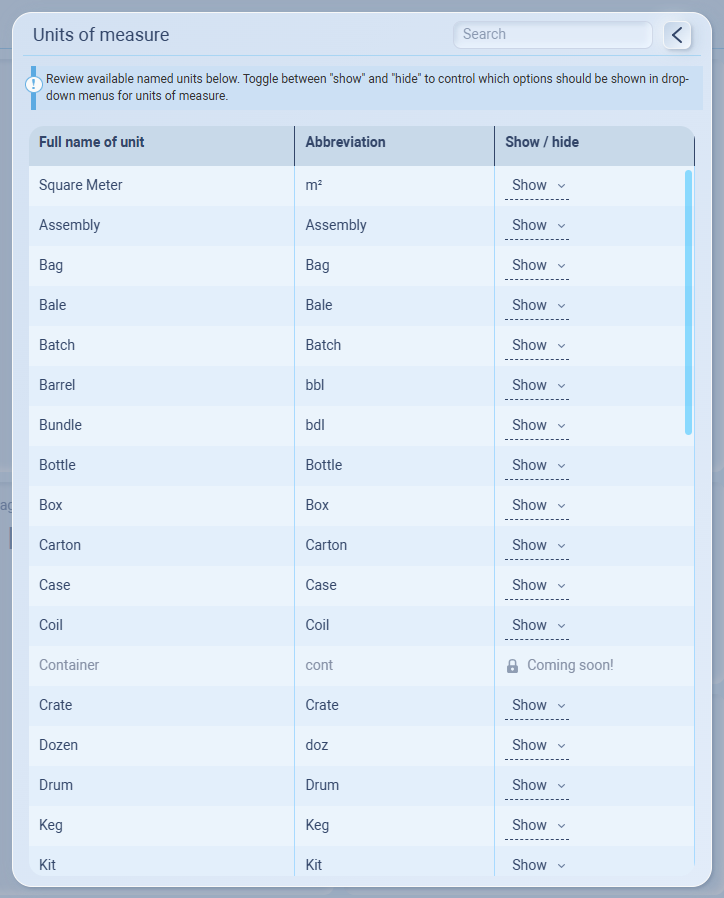
This section lets you control how product quantities are tracked and displayed in Sourcemaster. Units of measure define whether an item is counted by piece, box, kilogram, meter, or any other unit relevant to your business.
You can scroll through the list or use the search bar at the top right to quickly find a unit. Each unit can be set to Show or Hide, which controls whether it appears in product drop-down menus.
For example, if your business sells mainly by Piece and Box, keep those units visible and hide the rest to make your menus simpler and faster to use.
Archived Items
If you decide to stop selling a product or temporarily remove it from your catalog, you can archive it. Archived items won’t show up in new orders or dropdown menus, but they will still remain in your system for records, reporting, and any old drafts/orders that were created before archiving.

When you archive a product (for example, a Black T-Shirt you no longer sell), it will move from the Product Catalog into Archived Items.
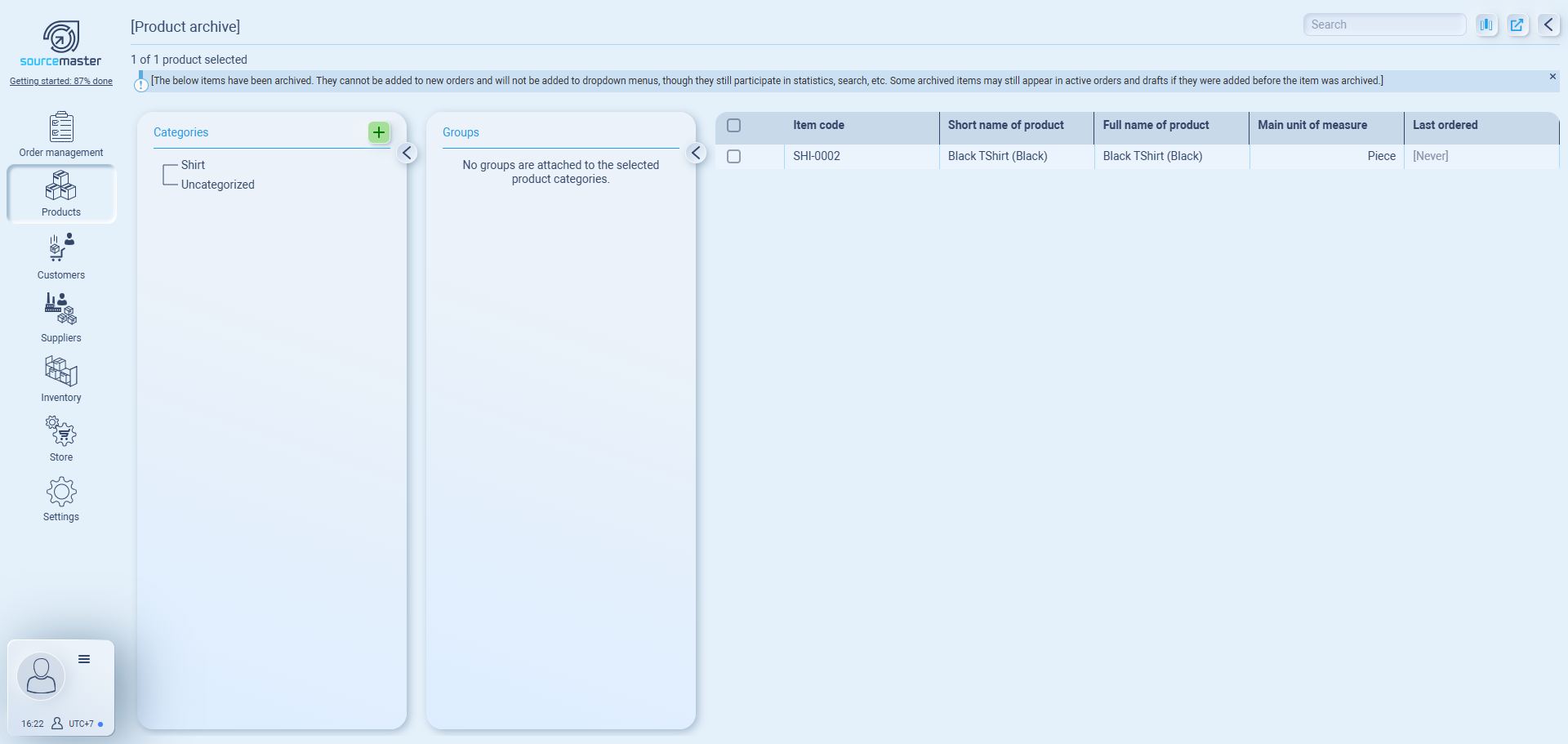
The Archived Items list works the same way as your main product list, but only shows archived products.
If you need to bring an item back, simply:
-
Check the box next to the product.
-
From the blue action banner, choose Restore item.
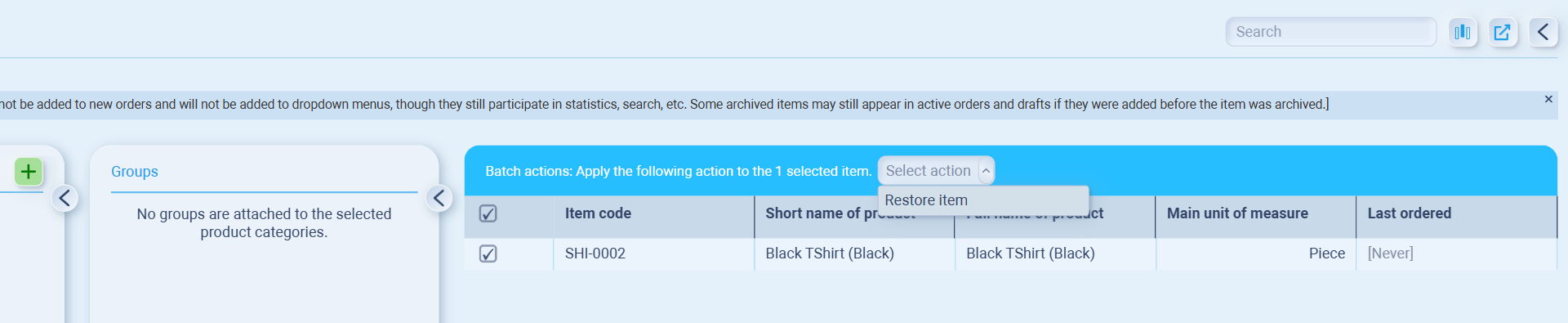
This will move the product back to your active catalog and make it available for use again.
💡 If this doesn’t solve your issue or you have more questions, feel free to reach out through our [contact form]. We’ll get back to you within 2–3 business days.
